.png?width=350&height=78&name=Black-on-Transparent_GlassHouse-Logo%20(1).png)
💡 What It Is
Manage Users lets you add your team to GlassHouse so everyone who needs access can get in and start working.
⚙️ How It Works
Access Manage Users
Go to Settings → Manage Users
Select Add User
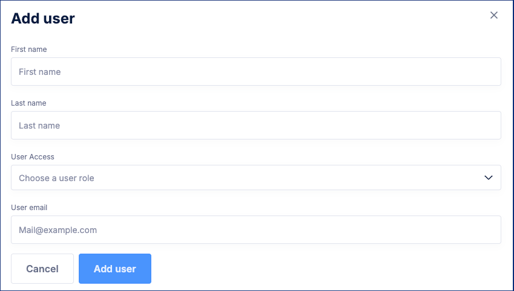
Enter:
First Name
Last Name
Email Address
Select the appropriate access level
Click Add User
Repeat for each team member.
✅ What to Expect
- Each user receives an email invitation
- Once accepted, they can log in right away
- Their access is based on the role you selected
🙋♀️ FAQs
| Question | Answer |
|---|---|
| Can I add users later? | Yes, anytime. |
| Didn’t get the invite? | Check spam or resend from Manage Users. |