.png?width=350&height=78&name=Black-on-Transparent_GlassHouse-Logo%20(1).png)
🗺️ Search by Map Area
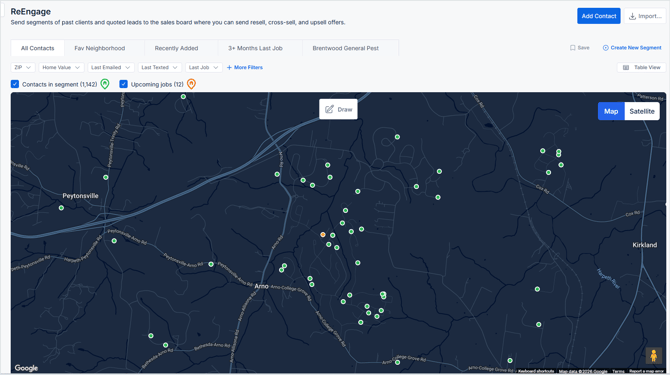
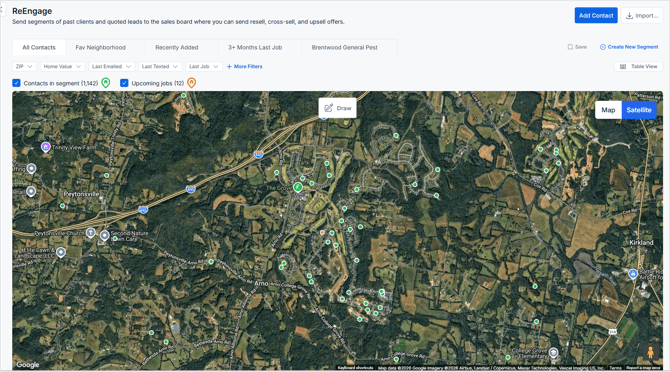
Use Map View or Satellite View to visually select customers in a specific neighborhood or service area. This is helpful when you want to target customers near an upcoming job, recent storm path, or high-density route.
Toggle between Map and Satellite views to choose the display that works best for your campaign.
👉 Steps
- Apply filters first (optional)
- Create your Boundary
-
Outline your desired service area
-
Click Apply
Only contacts inside the boundary will remain selected and included in your results.
👀What You’ll See
| Indicator | Meaning |
|---|---|
| 🟢 Green dots | Customer contacts |
| 🟠 Orange pins | Upcoming jobs (from integrations) |
⚡ Pro Tips
-
Use Map View for cleaner contrast and easier dot visibility
-
Use Satellite View for real-world landmarks and storm/path targeting
-
Combine filters + boundaries for the most precise lists
-
Target neighborhoods near existing jobs to increase route density